An MCP server for Claude Code and Cursor
Feature walkthrough videos of your real app, made by typing one sentence.
A full walkthrough of the real product — narrated, subtitled and cut together, ready to put in front of a customer. Not a launch trailer, not animated mockups.
Then they answer your customers. One line on your website puts a help circle in the corner — a visitor asks a question and sees the exact part of a video that answers it.
You type one sentence
You get this back, a couple of minutes later
Amazon, in a real browser, unrehearsed — searched, filtered by price with a dragged slider, and a listing opened. Real clicks, real typing, a cursor that moves, a voice explaining as it goes. Nothing here is drawn or animated. Sound on.
1
Connect it to the coding tool you already use
onetwodemo is an MCP server — the standard way a coding tool picks up a new tool. Connect it once and it is simply there, in the same window you already work in. Then ask, in your own words, for the walkthrough you want.
And anything else that speaks MCP. Connecting is one line of config, which your dashboard hands you already filled in.
2
It handles the filmmaking
Everything a person would spend an afternoon on, decided shot by shot — so what comes back looks directed rather than screen-recorded.
3
Not right? Say so, and it changes
Re-prompt in the same chat window. No timeline to learn, no clip to hunt for, and it is not filmed again — the new version is ready in seconds.
4
Upload your videos, and your customers get an interactive help centre
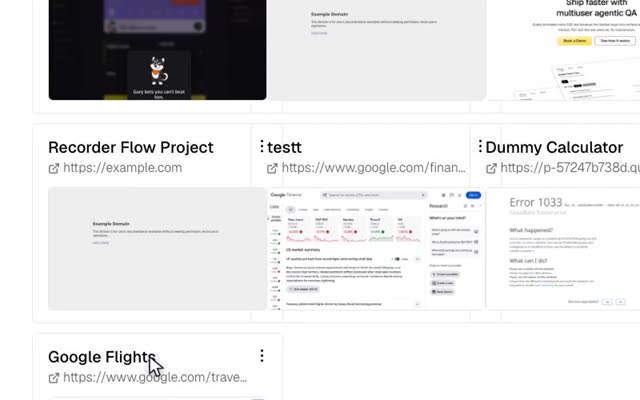
Upload. Send any walkthrough you are happy with to your dashboard. That is your library — every video you have made, ready to hand out.
Share. Your dashboard gives you one link to send to your customers. It opens all your feature walkthrough videos, in one place.
They ask. Your customer opens that link and types a question the way they would ask a person. No menus, no search terms, no article to read. It works out which of your walkthroughs answers them, plays that one, and starts it at the moment the answer begins.
Here is the part of the walkthrough that covers it.
5
The same help, in the corner of your own website
An embeddable widget — a circle in the bottom-right corner of every page. A visitor clicks it, asks a question in their own words, and the answer plays right there, without leaving the page they got stuck on.
live view — cut to the answer, 18s
The circle sits on every page of your site. This is what opens when someone presses it.
It grows. Corner, bigger, or the whole screen — the visitor picks, mid-question.
It stays current. Every walkthrough you upload afterwards is in there too, with nothing to paste again.
You can turn it off. One switch in your dashboard takes it off every site it is on, without anybody editing their website.
Walk someone through your app
Create an account, connect your editor, and name the feature you would otherwise be screen-recording by hand this week. The first walkthrough takes a couple of minutes.
No API key needed. This is early software from a small team — tell us what breaks.